Free for iOS & Android · No Account Required

Understand cancer, one card at a time.

A cancer diagnosis brings information from every direction. CancerNotes brings it into a single, organised place: current news for the cancer type you are following, concise educational tips, quizzes that check your understanding, and a private notebook for the questions you want to raise with your care team.

Free · No in-app purchases · Everything you save stays on your phone.

  • 118 cancer types
  • 5 focused tabs
  • 0 sign-ups needed
  • Free forever
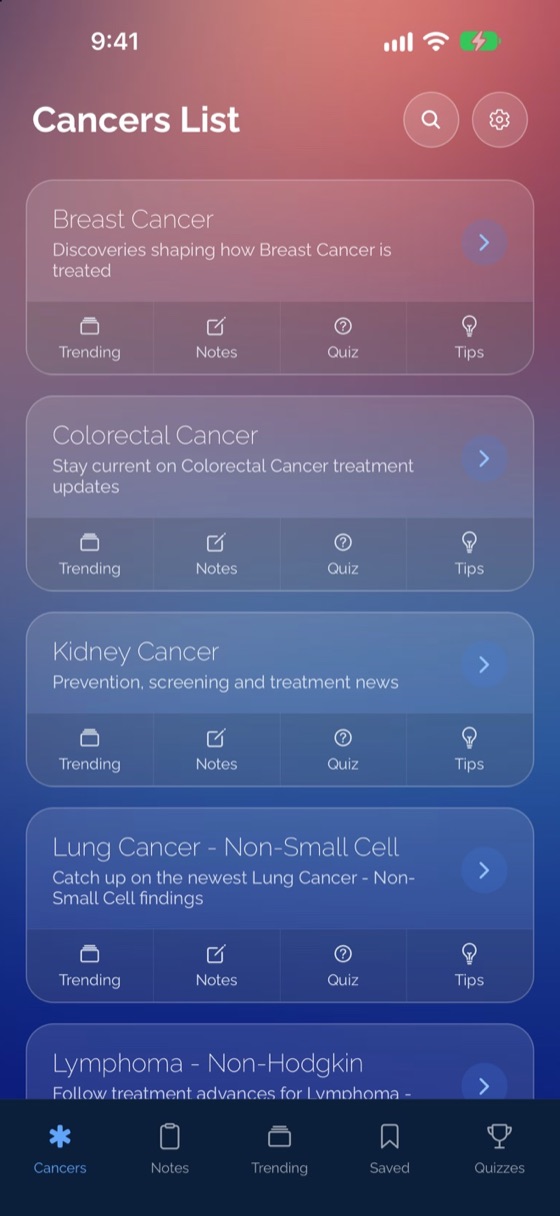
CancerNotes Cancers library screen showing 118 cancer types
  • Breast Cancer
  • Prostate Cancer
  • Lung Cancer
  • Colorectal Cancer
  • Melanoma
  • Pancreatic Cancer
  • Leukemia
  • Lymphoma
  • Ovarian Cancer
  • Medulloblastoma
  • Adenoid Cystic Carcinoma
  • Astrocytoma
  • Thyroid Cancer
  • Bladder Cancer
  • Immunotherapy
  • CAR-T
Five Tabs, One Reference Point

News, education, and personal notes for every cancer type.

Content is organised around 118 cancer types, plus any custom topics you choose to follow, so you can study at a pace that suits you.

118 Cancer Types + Custom Topics

Browse a searchable library of 118 cancer types, from common cancers such as breast, colorectal, lung, prostate, pancreatic, and melanoma to rare and childhood cancers such as adenoid cystic carcinoma and medulloblastoma.

  • Most common cancers pinned at the top for quick access
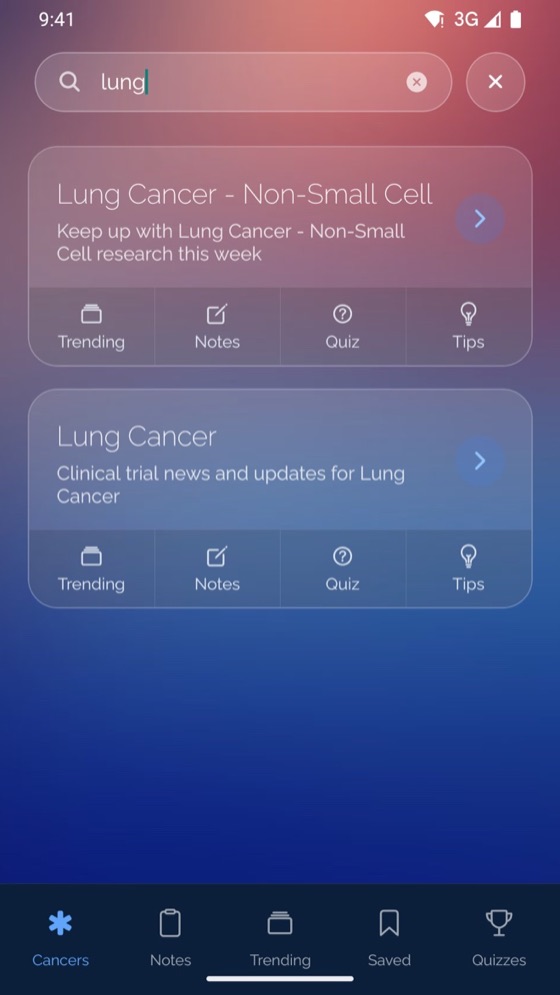
  • Case-insensitive search filters as you type
  • Four one-tap actions on every card: Trending, Notes, Quiz, and Tips
  • Add unlimited custom keywords in Settings (like Immunotherapy or CAR-T)

Trending News

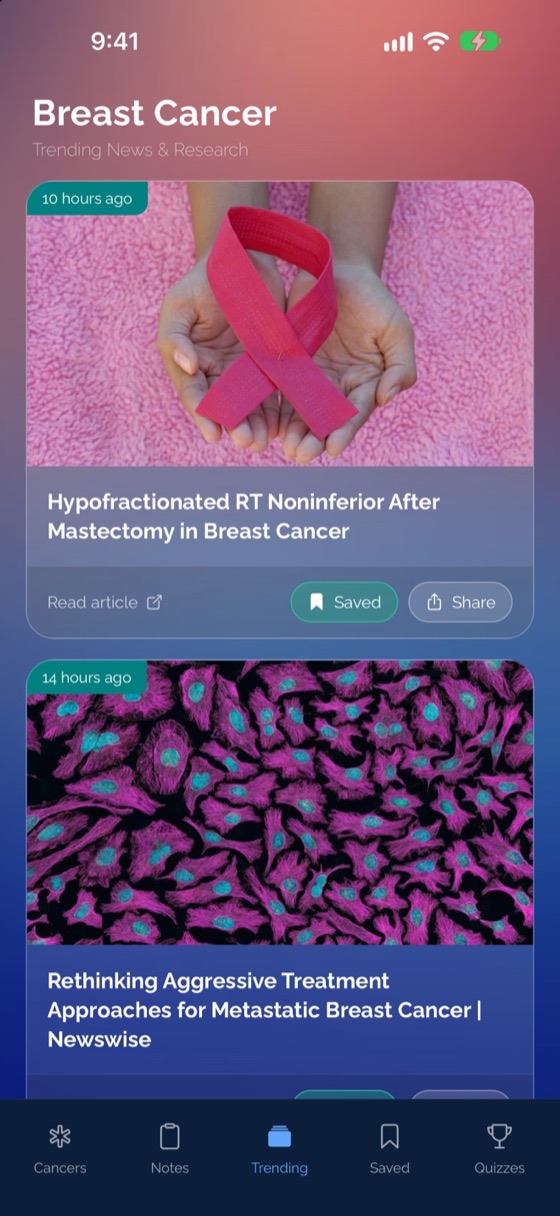
Follow recent articles from third-party publishers for your chosen cancer type. Results are gathered from multiple sources, deduplicated, and ordered newest first.

  • Read full articles in an in-app browser
  • Save articles to your reading list
  • Share to Messages, WhatsApp, or email in one tap

Swipeable Quick Tips

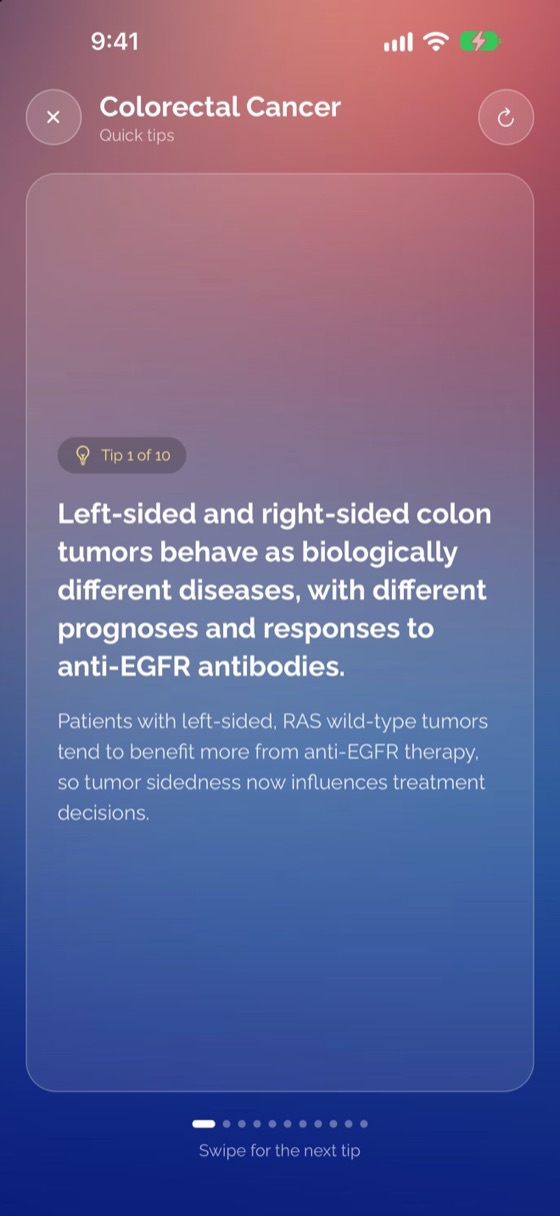
Each topic provides 10 plain-language fact cards (AI-generated educational content), reviewable in a couple of minutes when time is limited.

  • Move through cards one at a time, in sequence
  • Shuffle for a fresh order or refresh for a new set
  • Move directly into a quiz from the final card

Self-Test Quizzes & Learning History

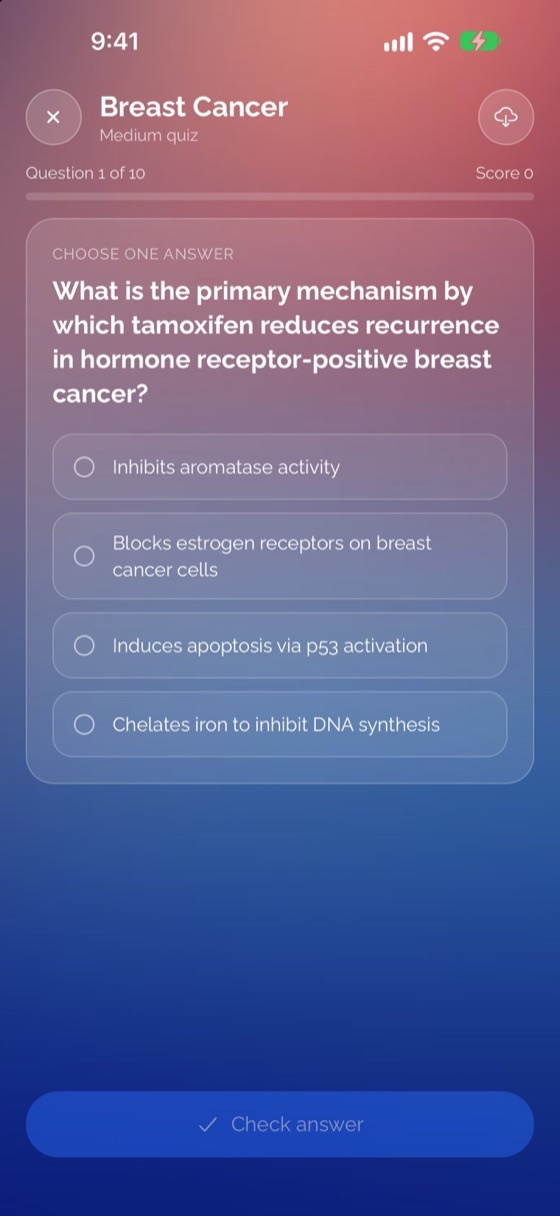
Learn by doing: answer, check, and understand. Quizzes feature AI-generated educational questions tailored to your chosen topic and difficulty.

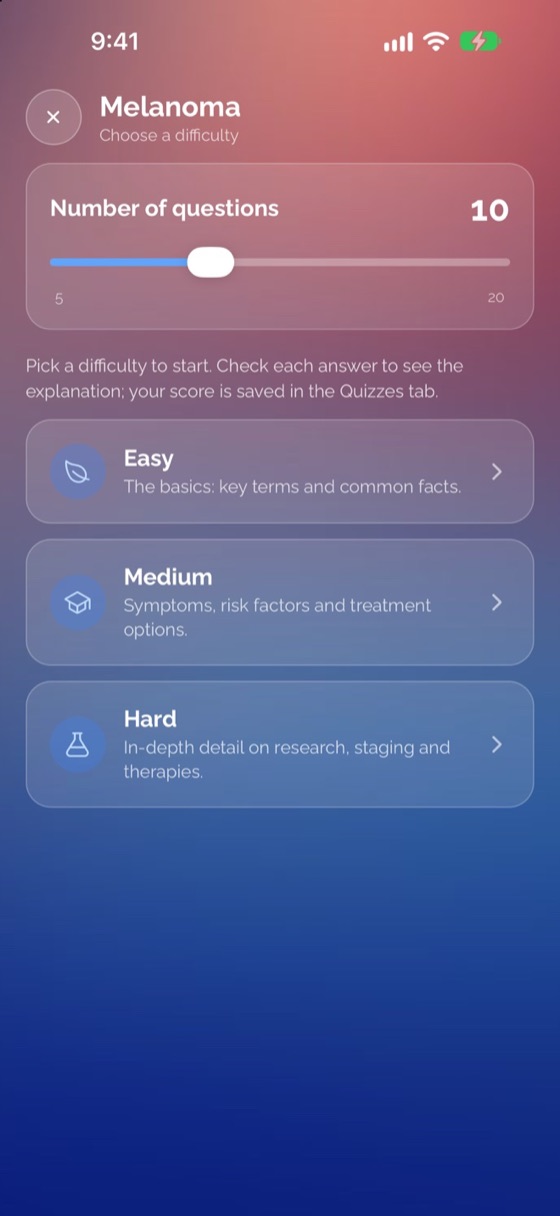
Easy · Medium · Hard 5 to 20 Questions Slider True/False · Single · Multi-Select

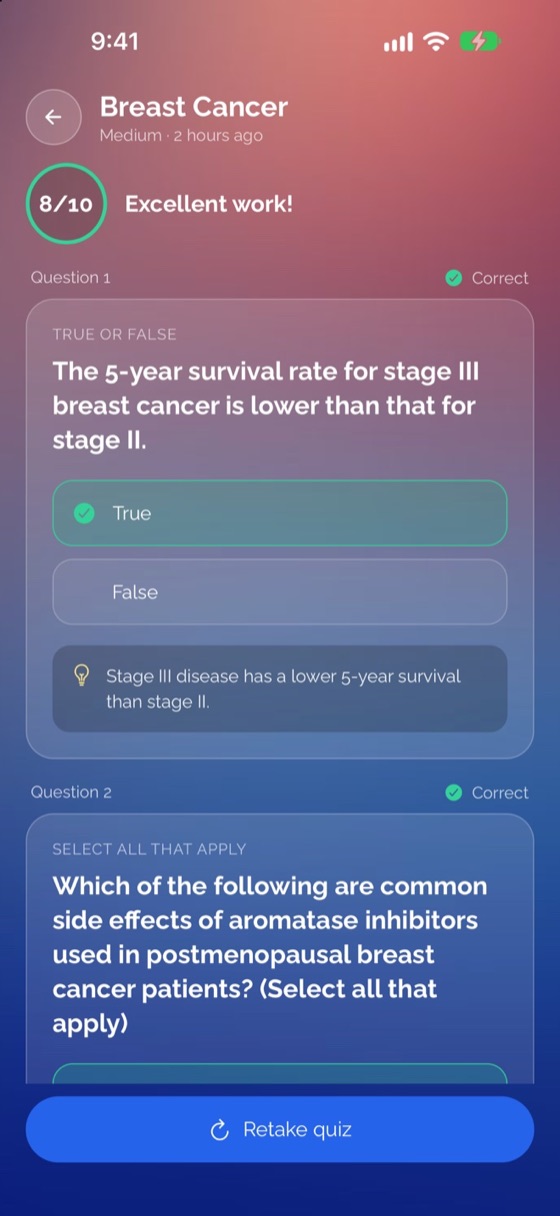
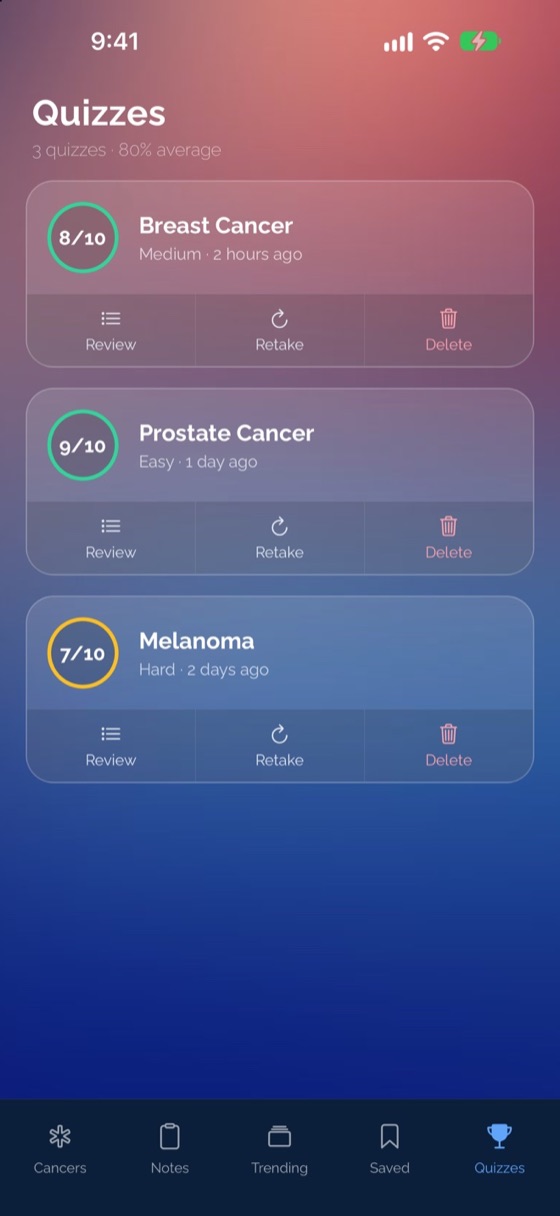
Every answer includes an explanation in green or red, and completed quizzes are saved automatically to your Quizzes tab so you can review, retake, and watch your average climb.

Private Notebook

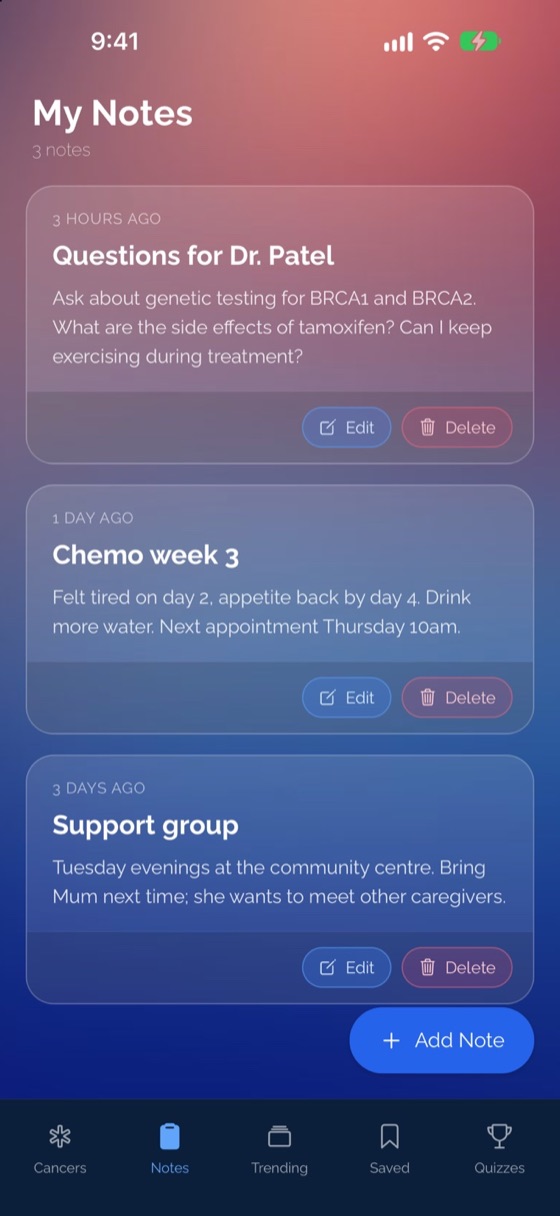
Keep a record of questions for your next appointment, symptoms, medication reminders, or other notes. Everything is stored only on your phone.

  • Start a note pre-filled from any cancer card
  • Voice-friendly: use your keyboard's microphone to dictate

Saved & Ready Offline

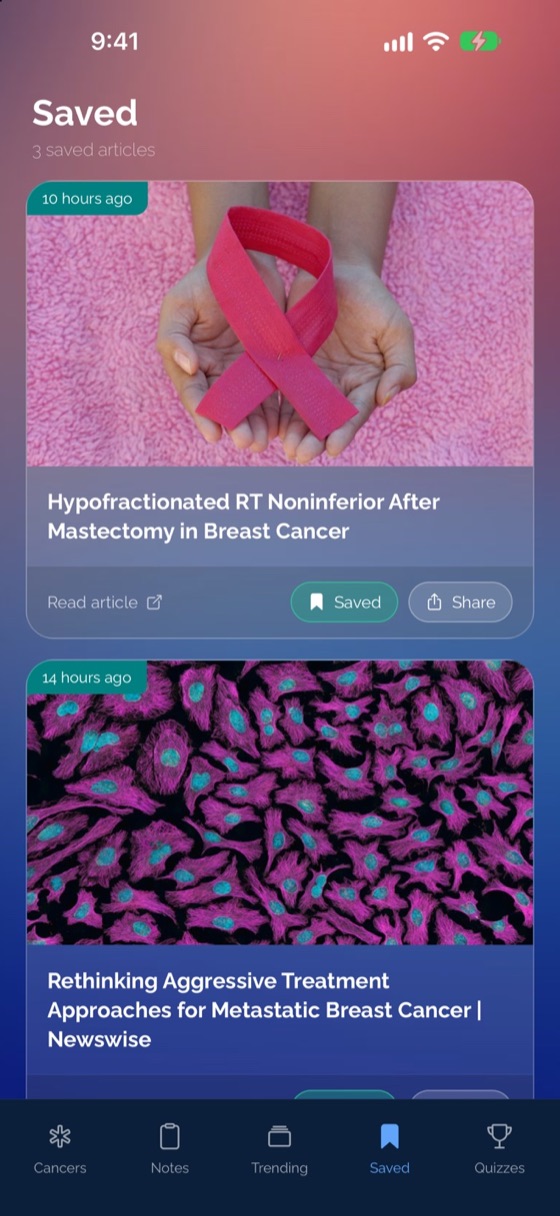
Your personal reading list of bookmarked articles stays on your device with no sign-in required.

  • Notes, saved articles, and quiz history work offline
  • Previously opened tips and quizzes open instantly offline
  • Trending news fetches fresh updates when online
Inside the App

A closer look at every screen.

Browse 118 cancer types, review quick tips, work through quiz explanations, and keep private notes. Each tab is designed for clarity, not clutter.

CancerNotes home screen with 118 cancer types
118 Cancer Types Browse & one-tap actions
Instant Search Find rare & common types
Trending news feed from third-party publishers
Trending News Save & share updates
Swipeable Quick Tips learning cards
Quick Tips 10 swipeable fact cards
Quiz setup with Easy, Medium, Hard and 5-20 questions slider
Quiz Setup Difficulty & length slider
Quiz question card with instant feedback
Self-Test Quiz One card at a time
Quiz review screen showing explanations
Answer Review Clear explanations
Quizzes tab showing learning history and average score
Quiz History Track your average
Saved articles tab stored on device
Saved Articles Offline reading list
Private on-device Notes tab
Private Notes Voice-friendly & local
Search, bookmarks and organised notes illustrated in indigo and teal Simple by Design

Stay informed. Stay organised. Stay in control.

No onboarding forms, no passwords, and no clutter. Open the app and start in seconds.

01

Pick your cancer type or topic

Search 118 built-in cancer types, or add your own custom keywords in Settings, to focus only on what matters to you.

02

Learn & follow at your pace

Swipe through 10 quick tips, check recent third-party news in Trending, or test what you know with an Easy, Medium, or Hard quiz.

03

Save articles & keep private notes

Bookmark articles to read later, share updates with family in a tap, and dictate questions for your care team. Everything stays on your phone.

Built for Every Perspective

A reference tool for everyone touched by cancer.

Whether you are newly diagnosed, supporting a loved one, or studying oncology, CancerNotes is organised around how you actually use it.

Newly Diagnosed Patients

Make sense of unfamiliar terms

Quick Tips explain the basics in plain language, Trending surfaces recent news for your specific cancer type, and Notes lets you dictate questions ahead of your next appointment.

Caregivers & Family Members

Keep up and keep track together

Keep saved articles and appointment notes in one place, and use the native Share sheet to send relevant updates to a family group chat in a single tap.

People in Treatment or Survivorship

A focused alternative to open-ended searching

Get a news feed scoped to one cancer type instead of unfiltered search results, and bookmark articles worth revisiting later.

Students, Nurses & Health Learners

Study and self-test across 118 types

Choose Easy, Medium, or Hard quizzes from 5 to 20 questions, review the explanation behind every answer, and track your score average over time.

Advocates & Researchers

Follow custom topics effortlessly

Add custom keywords like CAR-T or Immunotherapy in Settings so they appear at the top of your list with their own news, tips, and quizzes.

Privacy by Design & Accessibility

No account. No profile. Your notes never leave your phone.

CancerNotes is built to be quiet and respectful of your privacy. There is no sign-up wall, no login, and no user profile.

  • Stored on your device: Your notes, saved articles, quiz history, and custom topics stay on your phone.
  • Minimal network use: The app only contacts the internet to fetch news articles, tips, and quiz questions for the topic you choose.
  • Comfortable & accessible: Designed with soft gradients, readable type, screen-reader labels, keyboard voice dictation support, and respect for your phone's Reduce Motion setting.

Read the full Privacy Policy →

Account required No
Price Free (no in-app purchases)
Platforms iPhone (iOS) & Android
Data storage On your device only
Cancer library 118 types + custom topics
Offline access Notes, Saved, Quiz history & opened Tips/Quizzes
Frequently Asked Questions

Clear answers, no fine print.

Is CancerNotes free to use?

Yes. CancerNotes is free for both iPhone (iOS) and Android, with no in-app purchases in the current build.

Do I need to create an account or sign in?

No. CancerNotes requires no account, no sign-up, and no login. Your notes, saved articles, quiz history, and custom topics are stored only on your device.

Does CancerNotes provide medical advice?

No. CancerNotes is an information and learning tool, not a medical tool. It does not diagnose, treat, or replace a care team. Always talk to your care team about your health.

Where do the news articles, tips, and quizzes come from?

Trending gathers and links to recent articles from third-party publishers, covering roughly the past month with duplicates removed. CancerNotes does not write or verify these articles. Quick Tips and Quizzes are AI-generated educational content created for learning only, and should always be checked against guidance from your care team.

Does CancerNotes work offline?

Yes, for content on your phone: your notes, saved articles, quiz history, and any tips or quizzes you have opened before open instantly offline. Trending news and fetching brand-new tips or quiz sets require an internet connection.

How many cancer types are included?

CancerNotes includes 118 cancer types, covering common cancers as well as rare and childhood cancers. You can also add unlimited custom keywords in Settings to follow specific treatments, trials, or topics.

Learn about cancer at your own pace.

Recent news, plain-language tips, self-test quizzes, and your private appointment notes, together in a single app.